
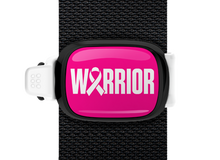

How to Design Your Own
Creating a personalized Stwrap is simple and intuitive. Our customizer walks you through each step so you can focus on what matters most: making something meaningful and uniquely yours.
How the Custom Stwrap Process Works
-
Select Your Case Colors
Start by choosing your top case color and bottom case color. Mix and match to create the look you want.
-
Choose Your Band Color
Select a silicone band color to complete your Stwrap. Band and case colors are designed to work together for a clean, finished look.
-
Add Your Design
Upload a photo or create a text-based design directly in the customizer.
-
Photo Upload
Upload your own image or logo. You can scale and position it to fit perfectly within the design area.
-
Text & Font
Add a name, message, or short phrase. Choose your preferred font, adjust size and color, and add outlines for extra contrast and clarity.
-
Photo Upload
-
Select Quantity
Choose how many Stwraps you’d like. Pricing updates automatically based on quantity.
-
Add to Cart
Once you’re happy with your design, add it to your cart and check out. That’s it.
Supported Image Types
Vector Images
For best results with logos and graphics, we recommend uploading vector files when available.
Image Uploads
You can upload your own photos, logos, or artwork, or choose from available clip-art options. High-resolution images ensure the cleanest final result.